Humanoid robot fleet management software: key features
The features humanoid fleet software needs: task routing, telemetry, multi-brand support, a shared skill library, remote escalation, safety and data control.
Motion team ·
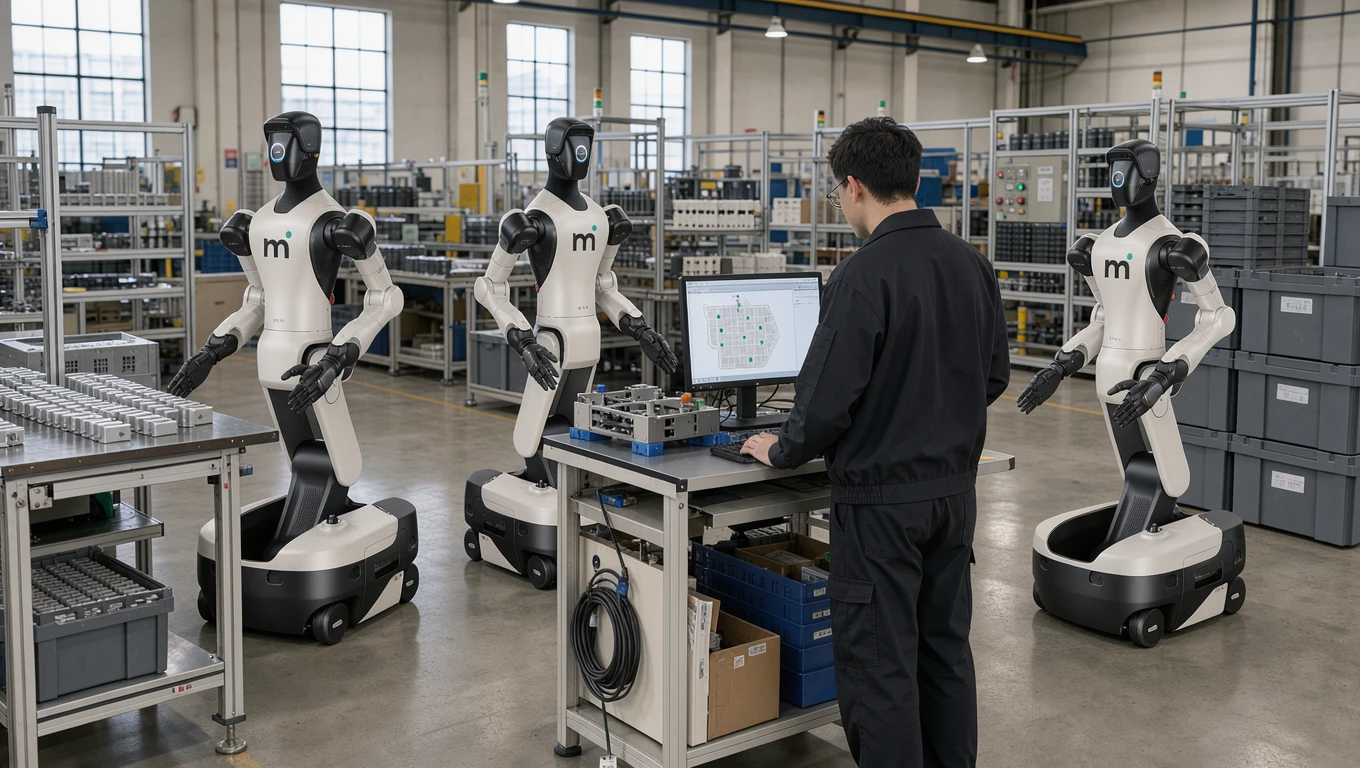
Humanoid robot fleet management software assigns tasks to every robot on a site, shows live status and health, hands unusual cases to a remote operator, and lets a skill learned on one robot run on the others. For humanoids it has to handle several robot brands, control software updates against the safety case, and keep your data under your control.
Key features at a glance
| Feature | What to check | |---|---| | Task assignment and scheduling | Routing by skill, priority and shift, with automatic reallocation when a robot stops | | Live telemetry | Task progress, battery level and swap schedule, joint temperatures, location, alerts | | Remote escalation | The robot pauses on a case it does not know and a remote operator takes over | | Multi-brand support | One interface for several robot makers, through open interfaces where they exist | | Shared skill library | A skill learned on one robot runs on every compatible robot | | Change control | Versioned, staged updates, with the risk assessment rechecked before rollout | | Integrations | Links to ERP, MES, WMS, quality and maintenance systems | | Data control | Where recordings live, who can access them and who may train on them |
The rest of this article explains each feature and how to evaluate platforms against them.
Why the question comes up now
Manufacturers are starting to move from single-robot trials to small fleets. Most humanoid deployments are still pilots: production of humanoids rose sharply in 2025, but commercial deployments remain limited. The sites that do add a second or third robot quickly face an operational question: how do you manage five, ten or fifty humanoids working across one facility?
A skill learned on one unit is worth far more once every other unit can run it, and that only happens if something above the robots keeps track. That is the job of fleet management software. Many of the tools on the market were designed for mobile robots and AGVs, and humanoids need things those tools do not provide.
What is robot fleet management?
Robot fleet management is the centralised coordination of multiple robots in a shared environment. It covers task assignment, scheduling, real-time monitoring, diagnostics, software updates and performance analytics, all from a single interface.
Traditional industrial robots, such as welding arms and pick-and-place units, are coordinated by cell PLCs and supervised through SCADA. Mobile robots brought real fleet managers and open interfaces such as VDA 5050. Humanoids add complexity. They move through less structured environments, work alongside people, perform a wider variety of tasks, and increasingly learn and adapt on the job.
Fleet management software for humanoids therefore has to do more than monitor devices. It needs to orchestrate tasks across varied workflows, manage AI behaviour policies, and show operators what every robot is doing and why.
Why fleet software matters at scale
One operator can usually manage a single humanoid robot by hand: they watch it, step in when needed and adjust its behaviour through a local interface. That approach stops working as the fleet grows.
Take a manufacturer running six humanoid robots across two shifts. Without fleet management software, each robot operates as an island. Nobody has a central view of task progress or a way to compare performance across units. Diagnosing a problem means walking up to each robot and checking its local logs, and updating a behaviour policy means touching each unit individually.
The cost of working this way rises with every robot added. Fleet management software changes that, so the effort of running the fleet grows much more slowly than the number of robots.
Where fleet software pays off:
- Utilisation. It tracks idle time, task completion rates and error frequencies across all units, so operators can spot underperforming robots quickly and reassign tasks to keep throughput steady.
- Consistency. When every robot runs tasks from a shared workflow library, each unit performs the same operation the same way, which removes the variance that creeps in when robots are configured one by one.
- Scheduling. With central scheduling, robots do not sit waiting for instructions or duplicate each other's work; the software manages task queues and handles shift handovers automatically.
Core capabilities to look for
Fleet management platforms differ widely in what they offer, and some built for warehouse AMRs cannot handle what a humanoid deployment needs. These are the capabilities that matter most when you evaluate fleet software for humanoid robots in manufacturing.
Task assignment and scheduling
The most basic requirement is assigning tasks to specific robots or groups of robots and scheduling them across shifts and production cycles.
A good task assignment system should support:
- Priority-based queuing, so operators can flag urgent jobs and have them run ahead of the regular queue.
- Skill-based routing. Not every humanoid is configured for every task, so the system should know which robots are trained on which workflows and assign work accordingly.
- Shift-aware scheduling. Manufacturing runs on shifts, and the software should plan robot activity around shift boundaries, break times, battery swaps and changeover windows.
- Dynamic reallocation, so that when a robot goes offline or hits an error, the system moves its pending tasks to available units automatically.
Look also for recurring schedules (daily, weekly, or tied to production orders), so routine task assignment runs without anyone touching it.
Real-time telemetry and monitoring
Operators need to know what is happening across the fleet at any moment, and real-time telemetry gives them that view.
Key data points include:
- Task status: what each robot is doing now, and what percentage of its assigned task is complete.
- System health: battery levels, motor temperatures, sensor status and connection strength.
- Location: where each robot is in the facility, and whether it is inside its designated work zone.
- Alerts and anomalies: automatic notifications when a robot hits an error, deviates from expected behaviour or needs a person to step in.
The monitoring view should sit on a central dashboard, ideally in the browser, so operations managers can check fleet status from any device. The platform should store historical telemetry and let you query it for trend analysis and predictive maintenance.
Remote assistance and escalation
A humanoid on a real line will meet cases it has not seen: a crushed box, a part in the wrong orientation, a person standing in its path. The fleet software should let the robot pause safely and flag the case, and let a remote operator join, look through the robot's cameras and resolve it.
Ask how quickly an operator can take over, who those operators are, and what is logged. Every intervention should be recorded, because each one is a training example that makes the next occurrence less likely to need a person.
Multi-brand support
Many fleet management platforms fall short here. Most are built to manage robots from one manufacturer, while real deployments increasingly mix hardware from several makers.
A manufacturer might use entry-level humanoids for simple material handling and more advanced units for precision assembly. Those robots come from different vendors, run different firmware and expose different APIs. Fleet software that supports only one hardware platform locks the manufacturer into that vendor.
A hardware-agnostic platform talks to robots through a standardised abstraction layer that translates high-level task instructions into hardware-specific commands. Operators can then manage a mixed fleet from one interface, compare performance across hardware platforms, and swap robots without rewriting their whole operational stack. Our article on avoiding vendor lock-in goes deeper.
Ask which open interfaces the platform speaks. VDA 5050 connects AGV and AMR fleets to a central control system, and the MassRobotics interoperability standard lets mobile robots from different vendors share status and location. Both were written for mobile robots; there is no humanoid equivalent yet. So ask how the vendor connects each robot brand, and whether you can export your skills and data if you change platform.
Workflow libraries and reuse
Capturing, storing and reusing workflows is one of the most useful things modern fleet management software does.
A workflow is the structured sequence of actions a robot performs to complete a task: picking up a component, inspecting it, placing it in a bin, moving to the next station. When a robot is trained on a new workflow, the platform should store it in a central library from which any compatible robot in the fleet can run it, instead of leaving it on a single unit.
Workflow libraries enable:
- Fast onboarding: a new unit joins the fleet with access to every workflow the team has already built.
- Consistency: every robot runs the same workflow the same way, which reduces quality variance.
- Iterative improvement: when an operator improves a workflow, every robot using it gets the change.
- Knowledge preservation: workflows survive hardware replacements, because the know-how for a task lives in the software and not on any one robot.
Safety, change control and cybersecurity
Pushing a new skill or a software update to a fleet is a change to the machine. Under the EU Machinery Regulation 2023/1230, which applies from 20 January 2027, a change that affects safety can count as a substantial modification and trigger a new conformity assessment. The fleet software should version every skill and update, roll changes out in stages, and keep a log of what ran on which robot and when, so the risk assessment can be checked before a change goes live.
Cybersecurity belongs in the same conversation. The Machinery Regulation requires protection against corruption of safety-related software, and the Cyber Resilience Act (EU) 2024/2847 sets security requirements for connected products, with its main obligations applying from 11 December 2027. Ask how remote access is authenticated, how updates are signed, and how the platform is segmented from your plant network. Our safety and EU compliance guide covers the rules in full.
Data control
Humanoids learn from recordings of your people and your line. Ask where those recordings and the telemetry are stored, who can access them, whether the vendor may use them to train models for other customers, and what happens to them when the contract ends.
Analytics and reporting
Beyond real-time control, fleet software should show long-term performance trends so you can base decisions about fleet composition, task allocation and capacity planning on data.
Useful analytics include:
- Per-robot metrics: task completion rates, error frequencies, cycle times and uptime percentages.
- Fleet-level dashboards with overall utilisation, throughput and efficiency.
- Side-by-side comparisons across robot models, shifts or production lines.
- Export to existing BI tools or ERP systems for wider operational analysis.
How to evaluate fleet management platforms
With those capabilities in mind, here is a practical way to evaluate fleet management platforms:
- Start with your hardware. Which robots are you deploying today, and which might you deploy in two years? If the answer involves more than one robot maker, multi-brand support is non-negotiable.
- Assess how fast you will grow. If you deploy three robots today and plan to reach twenty within eighteen months, you need a platform that scales. Ask vendors about their largest deployments and how performance holds up at that size.
- Test the operator experience. Fleet software is only useful if your operations team uses it. Ask for a demo or trial and have your floor operators evaluate the interface, as well as your IT team. Can they find information quickly, and can they intervene when something goes wrong?
- Check integration depth. Fleet software should connect to the systems you already run: ERP, MES, WMS, quality management and maintenance scheduling. Ask about APIs, webhooks and pre-built integrations.
- Check remote escalation. Ask how a stuck robot reaches a remote operator, how long that takes, and how interventions feed back into training.
- Evaluate the AI layer. Look for predictive maintenance, automatic task optimisation and guided workflow configuration for operators, and ask for evidence that each works on a live site.
- Ask about change control and security. How are updates versioned, staged and logged, and how is remote access secured?
- Understand the deployment model. Is the platform cloud-based, on-premise or hybrid? Manufacturing sites often have strict data residency and network security requirements, so check that the deployment model fits your IT policies.
- Ask about support and training. Downtime or misconfiguration in fleet software hits production directly. Check the vendor's response times, escalation paths and training resources for your team.
The role of deployment software in fleet management
Fleet management is increasingly tied to the software that builds the workflows in the first place. Nobody has to configure every task, schedule and policy by hand: the deployment software assembles the workflow from the captured task, validates it in simulation, and turns it into robot-executable instructions the fleet can run. For how that preparation fits into the first weeks on site, see your first humanoid integration.
For example, an operator assigns the end-of-line packing workflow to robots 3, 5, and 7 for the night shift. The platform checks that assignment against available resources and schedules, confirms each unit is trained on that workflow, and runs it. This lowers the skill needed to manage a fleet and lets experienced operators run larger fleets with less mental load.
The same software supports continuous improvement. It can analyse fleet performance data, find bottlenecks and suggest optimisations.
Looking ahead
Fleet management software for humanoid robots is still a young category. Many of today's platforms were built for simpler robotic systems and are being adapted, sometimes awkwardly, for humanoids, and no interoperability standard covers humanoids yet. Plan fleet management from the start of your robotics strategy, and use the checklist above when you talk to vendors.
Motion runs every deployment in its own fleet manager, which your team follows from a tablet. If you have a task in mind, book a 30-minute call and we will tell you whether a humanoid fits it.