Your first humanoid deployment, week by week
What happens in each week of your first humanoid robot deployment, from assessment to autonomous operation in 12 to 15 weeks, and what your team does.
Motion team ·
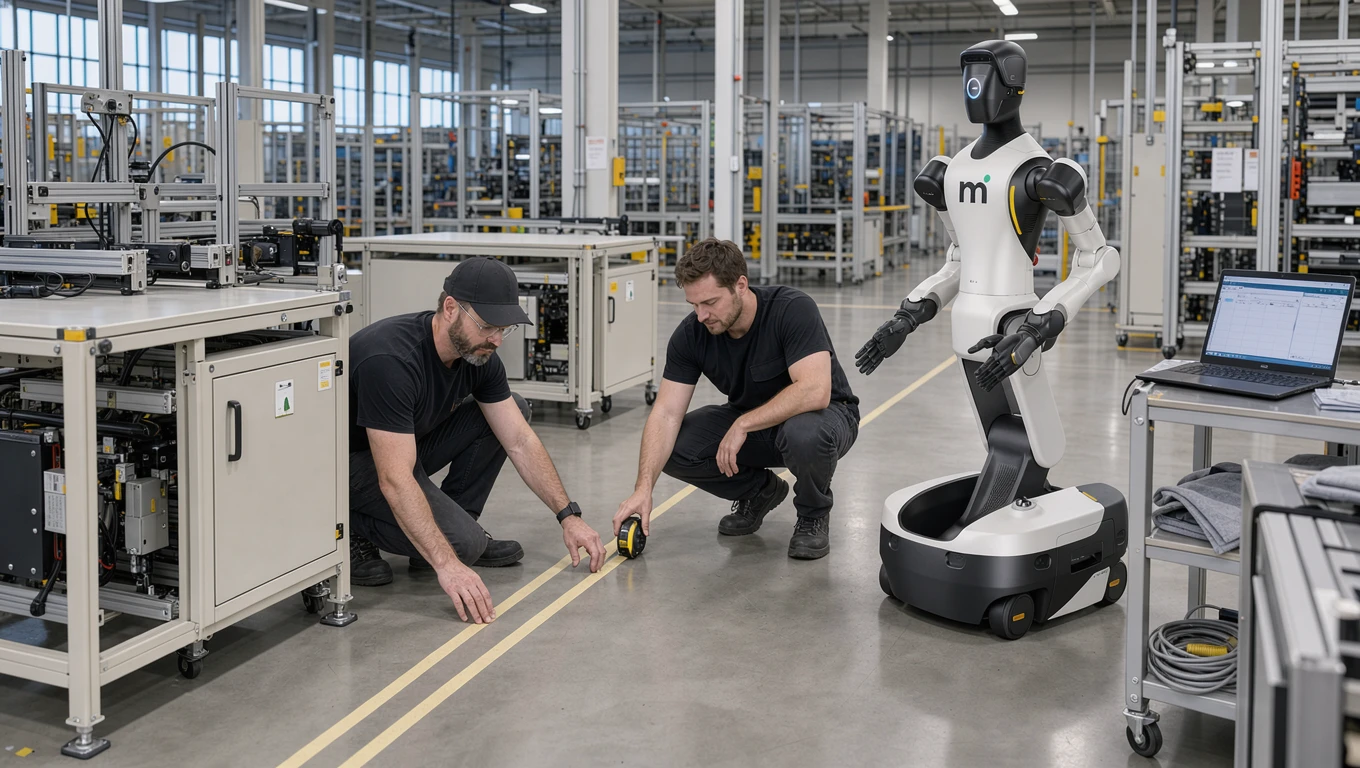
A first humanoid deployment, which Motion calls an integration mission, takes 12 to 15 weeks from assessment to autonomous operation. A Field Deployment Engineer comes to your site, your operators are recorded doing the task, Motion operators teach the robot by VR teleoperation and simulation, the site gets a risk assessment, and Motion keeps running the robot after go-live.
What an integration mission is
An integration mission is designed for manufacturers who want humanoid automation without a robotics team of their own, which describes most small and mid-size manufacturers.
Most of those weeks go into the physical AI rather than into the robot. The hardware arrives ready. What has to be built is the part that knows your tasks, your layout and your exceptions.
You provide the operational knowledge - what tasks need to be done, how your production flows, what your quality standards are - and the FDE provides the robotics expertise. Our deployment software bridges the two, turning your operational requirements into robot-executable workflows that are validated in simulation before they ever reach the floor.
What follows is a week-by-week account of what the process looks like, what is expected of your team at each stage, and how Motion supports the robot once it runs on its own. The preparation before week one (floor space, power and network, safety zoning, who owns the project on your side) is covered in the factory readiness checklist.
| Weeks | Phase | Your team's time | |---|---|---| | 1-2 | Assessment and plan | Walkthroughs with the operations manager and shift supervisors | | 3-4 | Delivery and recording your team | A few hours of recording per task | | 5-8 | Teaching by teleoperation and training in simulation | Review sessions with the FDE | | 9-12 | On the line, assisted runs taper off | Daily check-ins | | 13-15 | Risk assessment sign-off, production testing and autonomy | Acceptance test and fleet manager training |
Some deployments move through these phases faster and reach autonomy closer to week 12.
Weeks one and two: assessment and plan
The mission begins with the FDE visiting your facility for a detailed production audit, designed to find the tasks where humanoid automation will have the greatest impact with the lowest risk.
The FDE spends time on the factory floor with your operations manager and shift supervisors, observing production flows, measuring cycle times, documenting workstation layouts, and cataloguing the edge cases that your team handles instinctively but that a robot will need to be taught explicitly. Which tasks have the highest volume? Which have the most difficulty retaining workers? Where are the bottlenecks that constrain overall throughput?
From this assessment, the FDE and your operations team jointly select two or three target tasks for the initial deployment. These are typically repetitive physical tasks - packaging, palletising, material handling, sorting - that suit humanoid capabilities and where the business case for automation is clearest.
The output of this phase is a deployment plan that specifies what will be automated, the success criteria for each task (measured in terms of completion rate, cycle time and quality), the timeline for each phase of the mission, and the time required from your team. Both sides can be held to it.
Weeks three and four: delivery and recording your team
The robot is shipped to your site, unpacked and driven to its place on the line.
Your operators then record themselves performing the target tasks, wearing a headset camera that captures their exact perspective, hand movements and decisions in real time. Every hand joint is tracked and mapped onto the robot. The recording is of normal work, with the natural variation and edge-case handling that makes expert knowledge so valuable.
At the same time, photographs and video of the target workstations are processed into a three-dimensional simulation environment. This digital twin replicates the geometry of your facility and the spatial relationships between equipment, conveyors, pallets and storage areas, and the objects are given physical properties such as weight and friction so the robot can practise handling them.
Your involvement during this phase is modest: a few hours of recording per task from your most experienced operators.
Weeks five through eight: teaching by teleoperation and training in simulation
A Motion operator in VR teleoperates the robot from its own view through the task and its edge cases. Every assisted cycle becomes training data, and assisted runs get rarer until the robot works on its own.
In parallel, the skill is trained in simulation. Using reinforcement learning in simulation, the humanoid practises each target task thousands of times within the digital twin, with conditions varied on every run. Your team reviews the simulation results to confirm that the robot's behaviour matches their expectations, and the FDE folds their feedback into the training.
Moving a trained skill from simulation to the real robot is done in stages of increasing complexity, from basic movements to full task execution. The FDE uses our deployment software to fine-tune workflows for real-world conditions the simulation did not capture perfectly: gripper force, movement speed, visual recognition thresholds and error handling, each adjustment tested on the factory floor.
Safety work runs through this phase. The humanoid's behaviour is evaluated against your facility's safety requirements, and safeguards - speed limits, force limits, exclusion zones, emergency stop procedures - are configured and tested. The heavy lifting (simulation construction, policy training and validation) is handled by Motion.
Weeks nine through twelve: on the line, assisted runs taper off
The humanoid now runs the task on the line, alongside your normal production, with actual products at actual line speeds across your shifts. Motion operators step in remotely when the robot meets a situation it cannot yet handle, and each of those runs is used to improve the skill.
Your involvement increases during this phase. Daily check-ins with the FDE let your operations team give feedback on workflow accuracy, flag edge cases that emerge on the line, and get familiar with Motion's fleet manager.
Weeks thirteen through fifteen: safety sign-off, production testing and autonomy
Every Motion deployment includes a risk assessment for your site, completed before the robot runs on its own. The EU compliance guide explains which rules apply.
Performance is measured against the success criteria defined in the deployment plan:
- Task completion rate - target agreed in the plan (for example, above 95 percent)
- Cycle time - relative to human baseline
- Uptime - as a percentage of scheduled operating hours
- Quality metrics - specific to your operation
Sustained production testing catches issues that only show up over time: intermittent edge cases, gradual performance drift, interactions with shift changes and production schedule variations. The FDE resolves them before the robot is signed off as autonomous.
Two or three operators are trained on the fleet manager, covering task assignment, performance monitoring, troubleshooting procedures, and how to request a new or changed workflow. The FDE delivers a deployment playbook with operating procedures, who to call for what, and guidelines for expanding the deployment with additional units or tasks.
A final acceptance test checks that all success criteria from the deployment plan have been met. The FDE hands over day-to-day supervision to your team, and Motion stays on for monitoring, maintenance and changes.
After go-live: the first ninety days
Once the robot runs on its own, Motion keeps running it: engineers monitor robot health remotely and are on call for maintenance, operators step in remotely only when something unusual happens, and your team follows the fleet from a tablet.
During the first thirty days, the focus is stabilisation. Your operators settle into daily routines with the robot, and the deployment team makes minor workflow adjustments based on production data.
Days thirty-one through sixty are typically about optimisation. Cycle times improve as the humanoid accumulates operational data, and your team starts asking for task changes, which the deployment team makes and re-validates in simulation.
By days sixty-one through ninety, you have enough production data to judge the ROI, and the conversation often turns to additional deployments. A second humanoid should deploy faster than the first, because the simulation environment, trained skills and your team's experience already exist.
Is an integration mission right for your facility
The integration mission works best for manufacturers who have repetitive physical tasks that are hard to staff, an operations manager who can serve as the primary point of contact, facility access during working hours for the 12 to 15 weeks, and a budget that accommodates a monthly fee for humanoid automation.
It is not the right approach for manufacturers whose tasks are highly unpredictable with no repeatable patterns, who need results in under four weeks, whose facilities lack basic connectivity, or who do not have an internal champion willing to own the project through to completion.
If you have a task in mind, book a 30-minute call and we will tell you whether a humanoid fits it.